
Creating a ticket
How to ask a question or report an outage, and how to get the fastest answer.
With a ticket you ask a question or report an outage. All messages stay together, and you can always see the status.
Creating a ticket
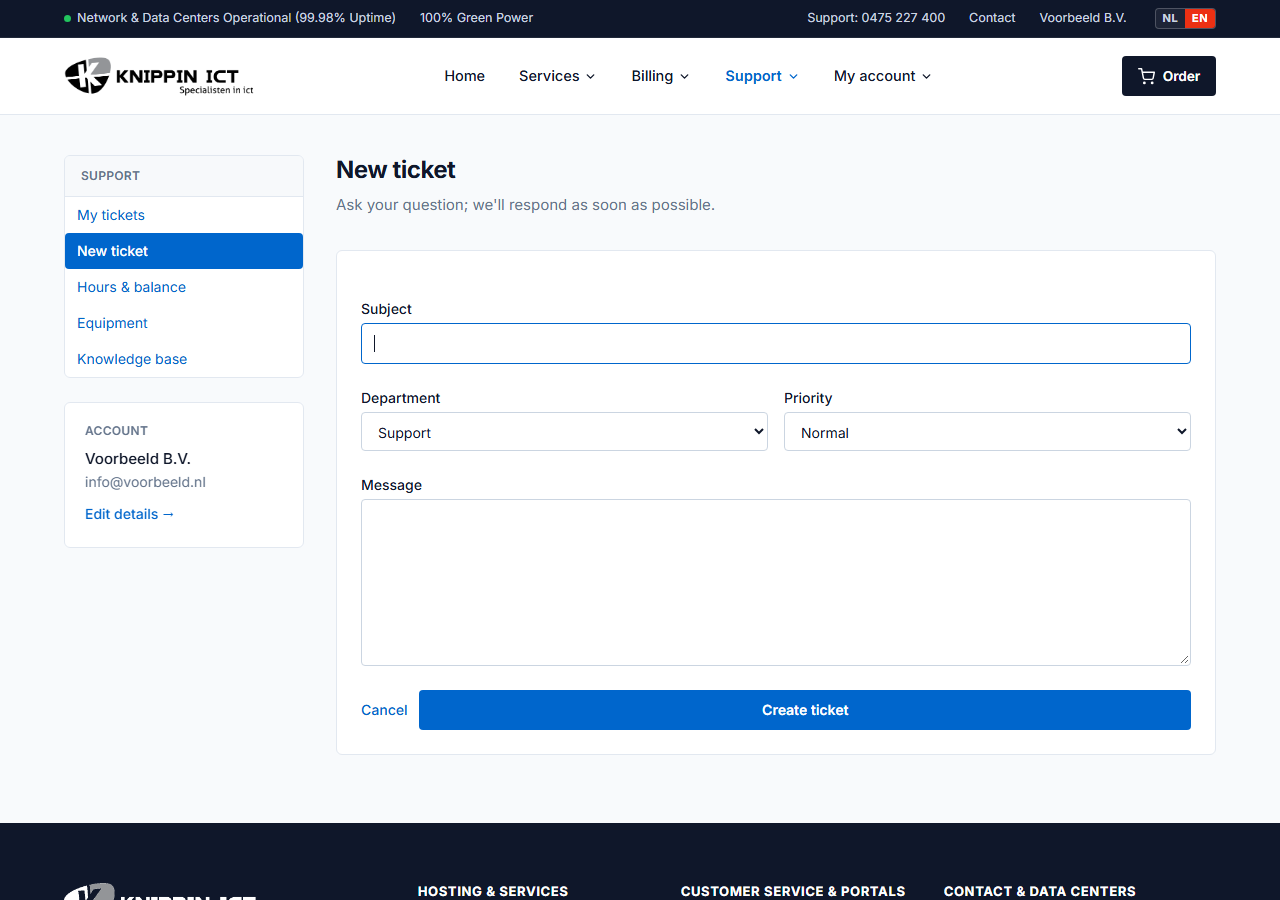
- Go to Support → Tickets and click New ticket.
- Choose the department: Support for technical questions, Administration for invoices and Sales for new services.
- Choose the priority and, if relevant, the device concerned.
- Describe your question and click Create ticket.
You will receive an email as soon as we reply. You reply in the customer panel, under Support → Tickets.
How to help us help you fastest
- What is going wrong and since when?
- Which domain name, website or server is it about?
- What exactly do you see? Copy an error message word for word.
- What have you already tried?
Never send passwords in a ticket. If we need access, we will agree on a safe way together.
Urgent
Is your website or email completely down? Choose priority High and call us as well. Our phone number is at the top of every page.
Support hours
Do you have a support contract or a prepaid hours bundle? Under Support → Hours & balance you can see how many hours you have left and what they were spent on.