
Viewing and paying invoices
Find your invoices, download them as PDF and pay online with iDEAL, Bancontact or credit card.
Viewing invoices
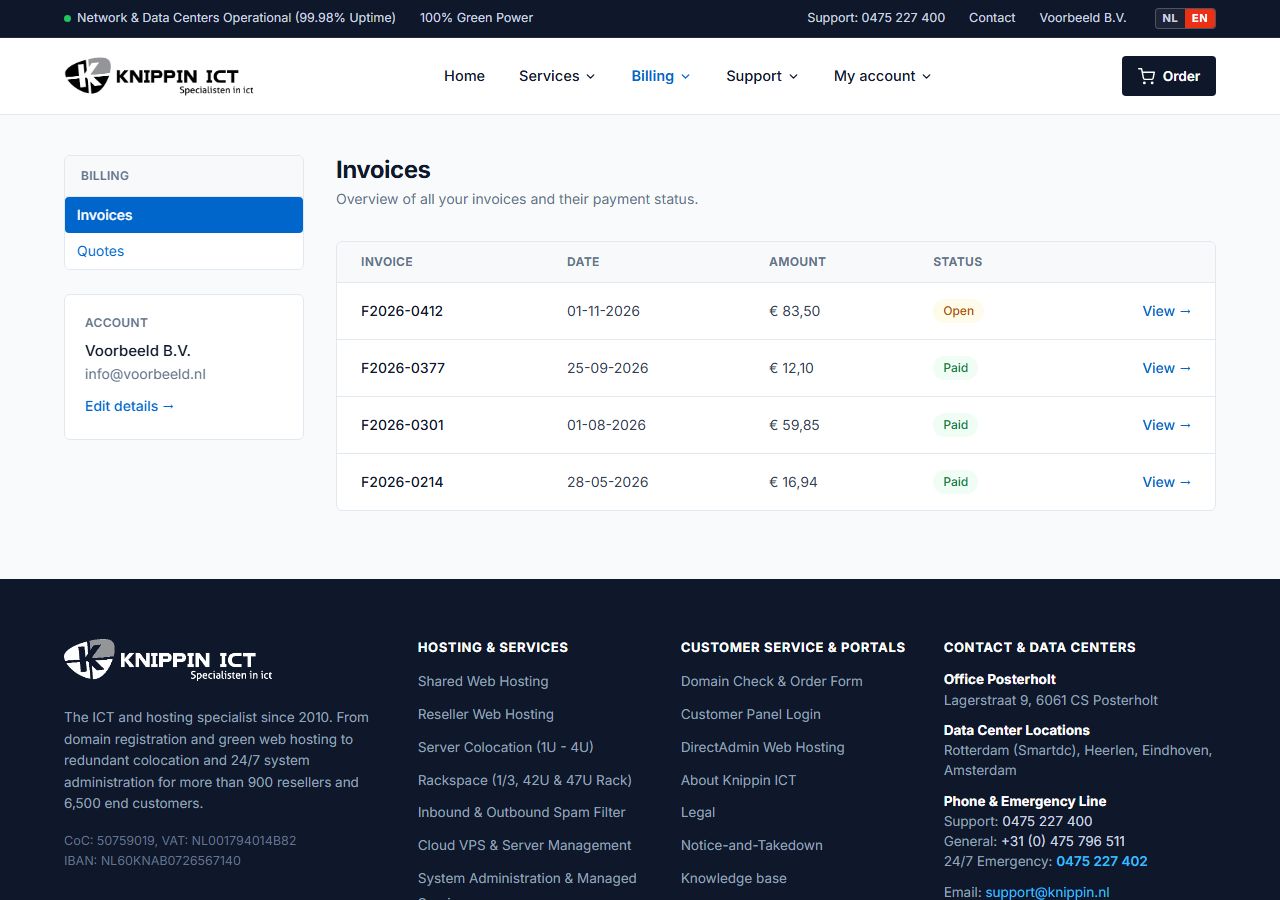
Go to Billing → Invoices. You will see all your invoices with their status: open, paid or overdue. Click an invoice for the details, or download the PDF for your records.
Paying online
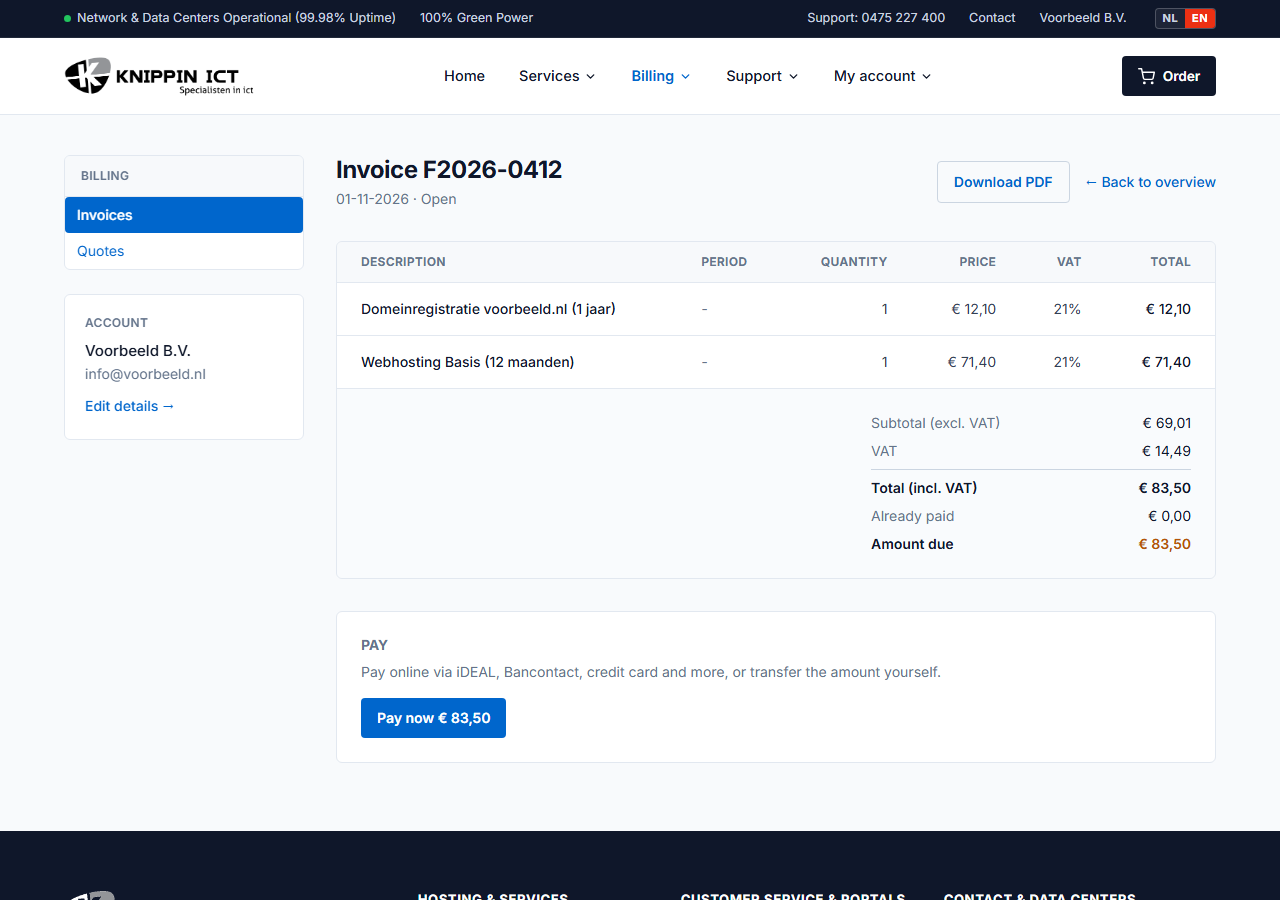
- Open the invoice and click Pay now.
- Choose a payment method, such as iDEAL, Bancontact or credit card, and complete the payment with your bank.
- After paying you return to the customer panel. Within a few minutes the invoice shows as paid.
The email that comes with each invoice also contains a payment link, so you can pay without signing in.
Bank transfer
Prefer to transfer the amount yourself? Use the IBAN and invoice number shown on the invoice. Always include the invoice number, so we can match the payment automatically.
Never pay manually again
With a direct debit mandate, we automatically collect the amount of every new invoice. See Direct debit.
Invoice not received or incorrect?
- Invoices are sent to the email address in My account → Your details. Under My account → Emails you can see every email we have sent you.
- Something wrong on an invoice, such as the company name or VAT number? Update your details and create a ticket for a corrected invoice.