
Changing nameservers
Decide where your domain's DNS lives: with Knippin, on your hosting server or with another provider.
A domain's nameservers determine where its DNS data is kept. DNS tells the internet, for example, which server runs your website and where your email arrives. If you change the nameservers, another party controls your domain's DNS from then on.
Changing nameservers in the customer panel
- Go to Services → Domains and click your domain.
- Next to Nameservers, click Change nameservers.
- Choose where the DNS should go (see below) and click Save.
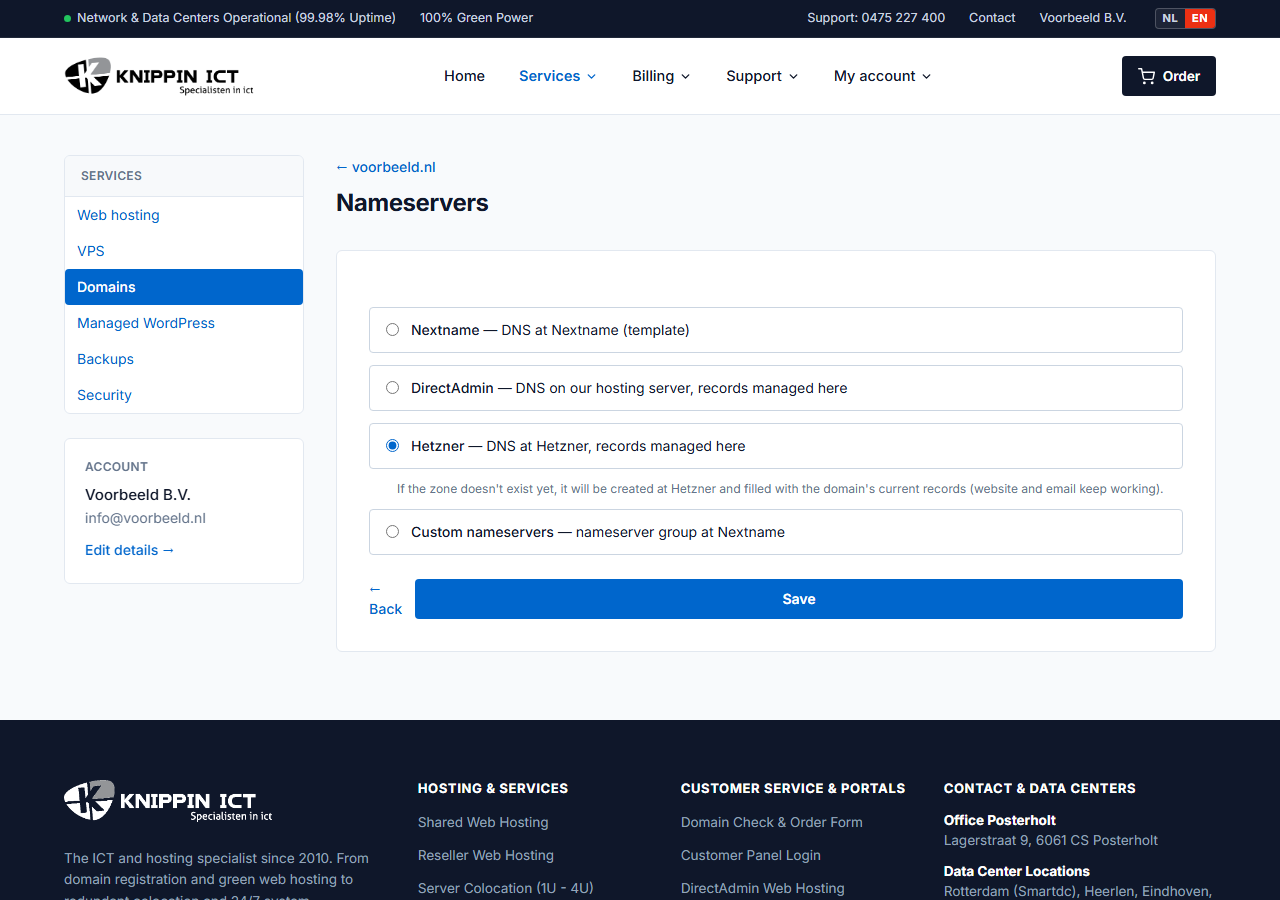
Which option suits you?
| Option | When to use it |
|---|---|
| DirectAdmin (our hosting server) | You have web hosting with Knippin. DNS then lives on the same server as your website and email. You manage the records in the customer panel. |
| Hetzner | DNS with Knippin without web hosting, for example for a VPS or email with another provider. You manage the records in the customer panel. |
| Nextname (DNS template) | A fixed template for simple redirects. Only on our advice. |
| Custom nameservers | DNS is hosted elsewhere, for example Cloudflare. You choose a nameserver group we have set up for you, and manage the records at that provider. No group yet? Create a ticket listing the nameservers. |
If you choose DirectAdmin or Hetzner and no DNS zone exists yet, we create one automatically. With Hetzner we copy the existing records, so your website and email keep working.
Not sure? Choose DirectAdmin if you have web hosting with us, otherwise Hetzner. You can then manage the records yourself in the customer panel. See Managing DNS records.
How long does it take?
The change goes straight to the registry (for .nl that is SIDN). After that, internet providers need to refresh their cached data. Usually it works within an hour. Sometimes it takes up to 24 hours, especially for .com and other international extensions.
Switching providers
Moving to other nameservers? Prepare the records there first, especially A records for the website and MX records for email. Only then change the nameservers. Otherwise your website or email will be unreachable for a while.
Error: unknown nameserver
For .nl domains, SIDN checks that the nameservers are known and actually serve the domain. Do you get a message that a nameserver is unknown or the zone is incorrect? Then the zone at the new provider has not been created yet or is incomplete. Create the zone there first and try again.