
Requesting a transfer code
Moving your domain to another provider? Here is how to request the transfer code (auth code) in the customer panel.
Want to move a domain from Knippin to another provider? That provider needs a transfer code (also called auth code, EPP code or token). You request the code yourself in the customer panel.
Steps
- Go to Services → Domains and click the domain.
- Next to Transfer code, click Request transfer code.
- The code is shown on screen once. Copy it and give it to your new provider.
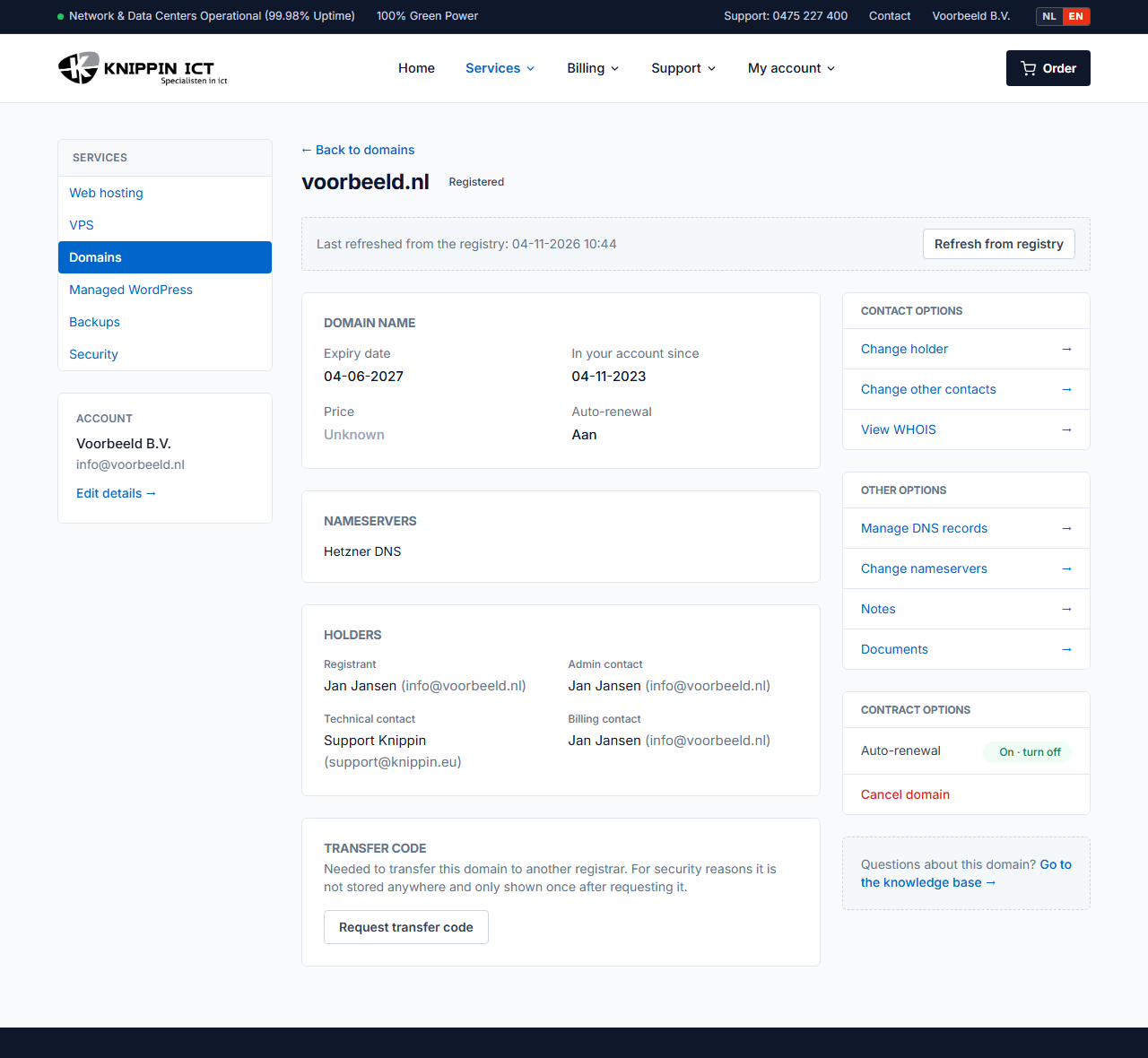
For some extensions, the registry emails the code directly to the domain holder. The screen will tell you when that happens. In that case, check the mailbox of the holder's email address. This applies to .be, for example.
For security reasons we never store the transfer code. Lost it? Simply request it again.
Good to know
- Do not cancel the domain before the transfer is complete. A cancelled domain expires and can end up in quarantine.
- Auto-renewal: is the expiry date close? Keep auto-renewal on until the transfer is complete. Otherwise the domain may expire during the transfer.
- .nl codes do not expire, but change after a holder change. After a holder change, request a new code.
- Validity: for other extensions the code is valid for a limited time, for example 7 days for .be, 14 days for .nu and 40 days for .eu and .de. See Comparing extensions.
- After the transfer, the domain disappears from your customer panel. Charges stop as of the expiry date.
Code not accepted by the new provider?
Request a new code and pass it on. Still not working? Create a ticket with the error message from the new provider and we will look into it.