
Redirects and hotlink protection
Send an old page to a new one, and stop other sites from using your images.
Redirecting a page
Has a page moved to a new address? With a redirect, visitors and search engines end up in the right place automatically.
- Go to Account Manager → Site Redirects and click Create New Redirect.
- Under Local URL Path, enter the old path, for example
/old-page. Use/to redirect the whole site. - Choose the Redirect Type:
- 301 — Permanent: the page has moved for good. Search engines adopt the new address. Choose this almost always.
- 302 — Temporary: temporary, for example during maintenance.
- 303 — Replaced: the page has been replaced by another.
- Under Destination URL, enter the full new address, for example
https://www.voorbeeld.nl/new-page, and click Create.
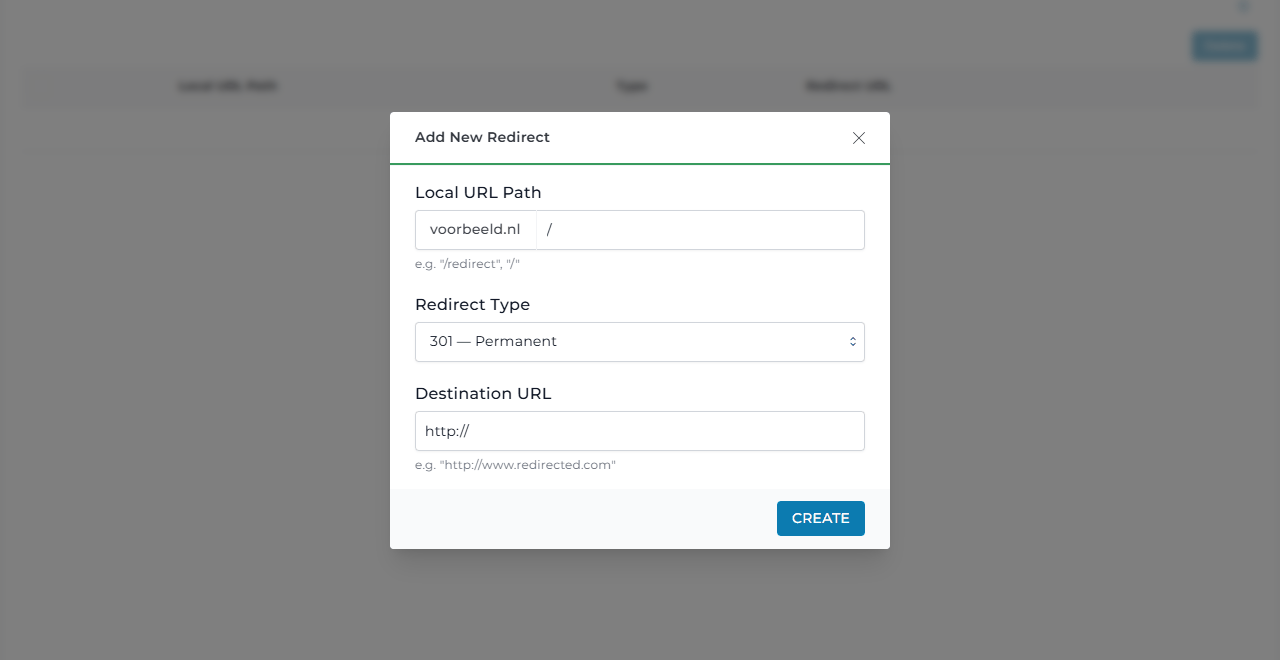
Using WordPress? Redirects are often easier with a plugin such as Redirection. Redirecting a whole extra domain name? Use a domain pointer.
Hotlink protection
Hotlinking is when another website loads your images directly from your server, using your bandwidth.
- Go to Account Manager → Hotlink Protection and click Enable Hotlinks Protection.
- Under URL, add the websites that may use your files, at least your own domain.
- Protected file types lists the protected file types, such as
jpg,pngandgif. - Keep Allow Blank Referrer on. Otherwise some visitors will not see your images, for example when their browser or virus scanner hides where they came from.
- Under Redirect to, choose what another site gets: an error (403 Forbidden) or an address of your choice. Click Save.
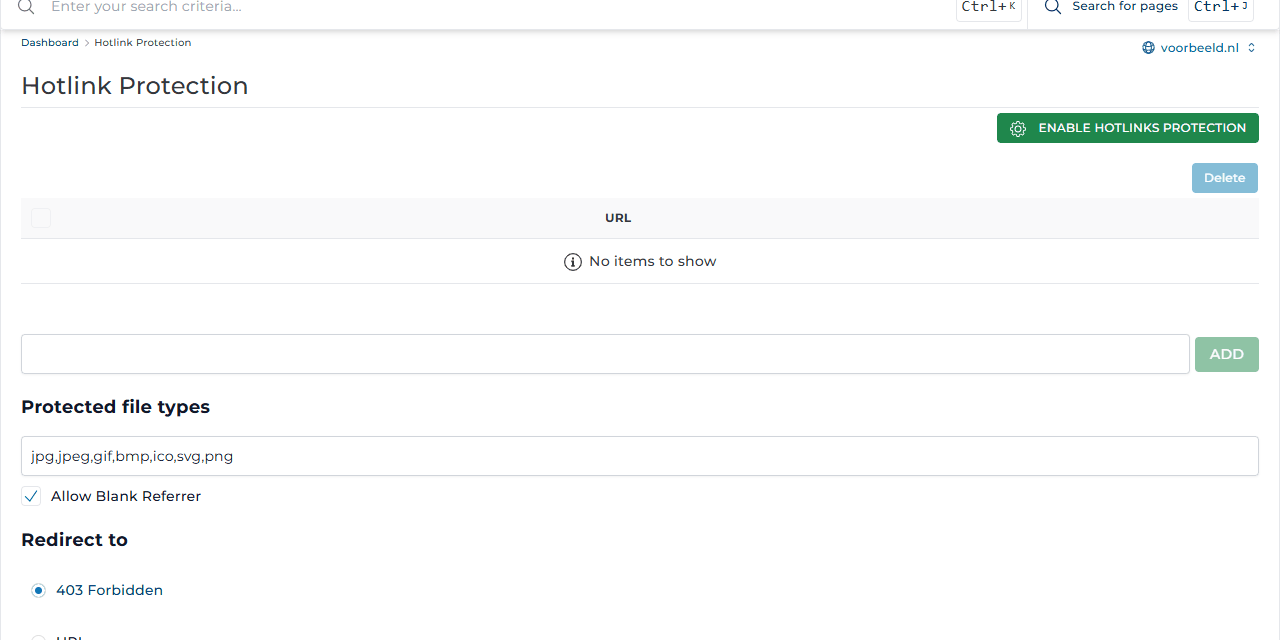
Using a CDN, or does your own app or newsletter load images from your site? Add those addresses to the list, or they will stop working.