
Logging in to DirectAdmin
Where to find DirectAdmin, how the dashboard works and how to change your password.
You manage your website and email in DirectAdmin, the control panel of your web hosting package. This is where you create email addresses, databases and FTP accounts, for example.
Where do I log in?
- Log in to the customer panel and go to Services → Web hosting.
- Click your package. The DirectAdmin address is shown next to Control panel, for example
https://server20.beheer.eu:2222. - Log in with the username shown for your package and the password from the welcome email.
Lost your password? Create a ticket and we will set a new one.
The dashboard
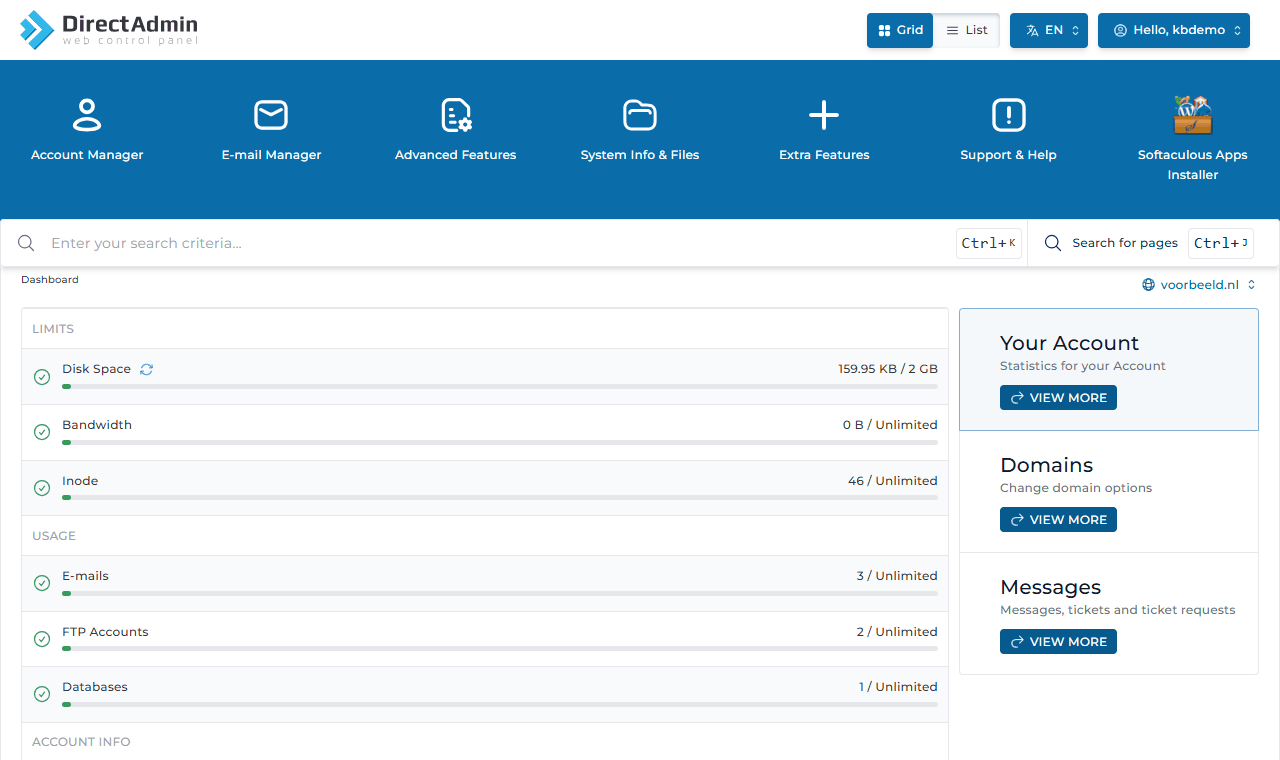
- The menus are at the top: Account Manager, E-mail Manager, Advanced Features, System Info & Files, Extra Features, Support & Help and Softaculous Apps Installer. Hover over a menu to see its items.
- Use Grid and List (top right) to switch between icons and a list showing every item at once.
- Searching is quickest: press Ctrl + J and type, for example, email or database.
- Under Limits and Usage you see how much disk space, bandwidth, email addresses and databases you use.
- More domains in your package? Pick the domain you want to work on at the top right.
Language
DirectAdmin is in English by default. Use the EN button to choose another language. These guides use the English names of menus and buttons.
Changing your password and contact address
- Click Hello, your username at the top right and choose Profile.
- Under Personal Information you change your name and Contact E-mail Address. DirectAdmin sends notices to that address, for example when your disk space is almost full.
- Under Password Management, enter your current and new password and click Change Password.
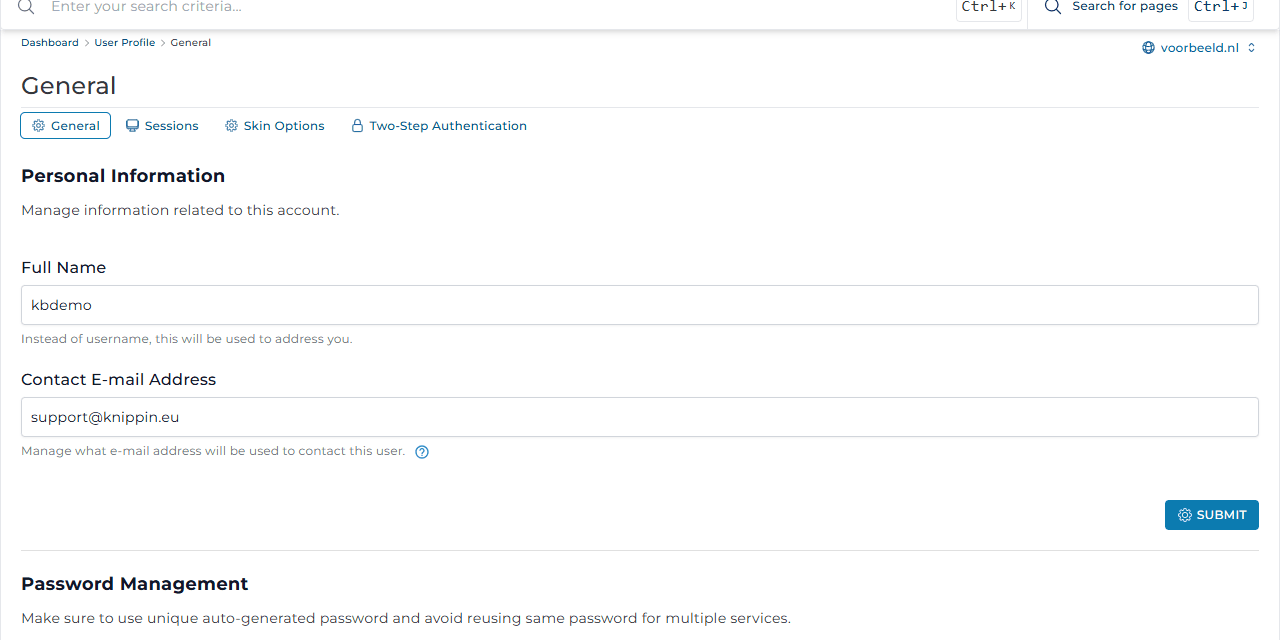
Choose a long, unique password. Even safer: turn on two-step authentication.
Logging out
Click Hello, your username at the top right and choose Logout. Always do this on a shared computer.
Need help?
Support & Help contains DirectAdmin's own ticket system. Please ask your question through a ticket in the customer panel instead, so all your contact with Knippin is in one place.