
Changing the holder or contact details
Change the owner of a domain, or update its contacts.
Every domain has a holder (the legal owner, also called registrant) and a few contacts:
| Contact | Role |
|---|---|
| Holder (registrant) | The owner of the domain. This person or organisation holds the rights to the name. |
| Admin contact | Point of contact for the registry, for example during a transfer. |
| Technical contact | Point of contact for technical matters such as DNS. Usually Knippin. |
| Billing contact | Receives invoices for the domain. |
Changing the holder or a contact
- Go to Services → Domains and click the domain.
- On the right, under Contact options, click Change holder. For the other contacts, choose Change other contacts.
- In the list, choose a holder you already use, for example on another domain. Or choose Enter new holder and fill in the details.
- Click Save.
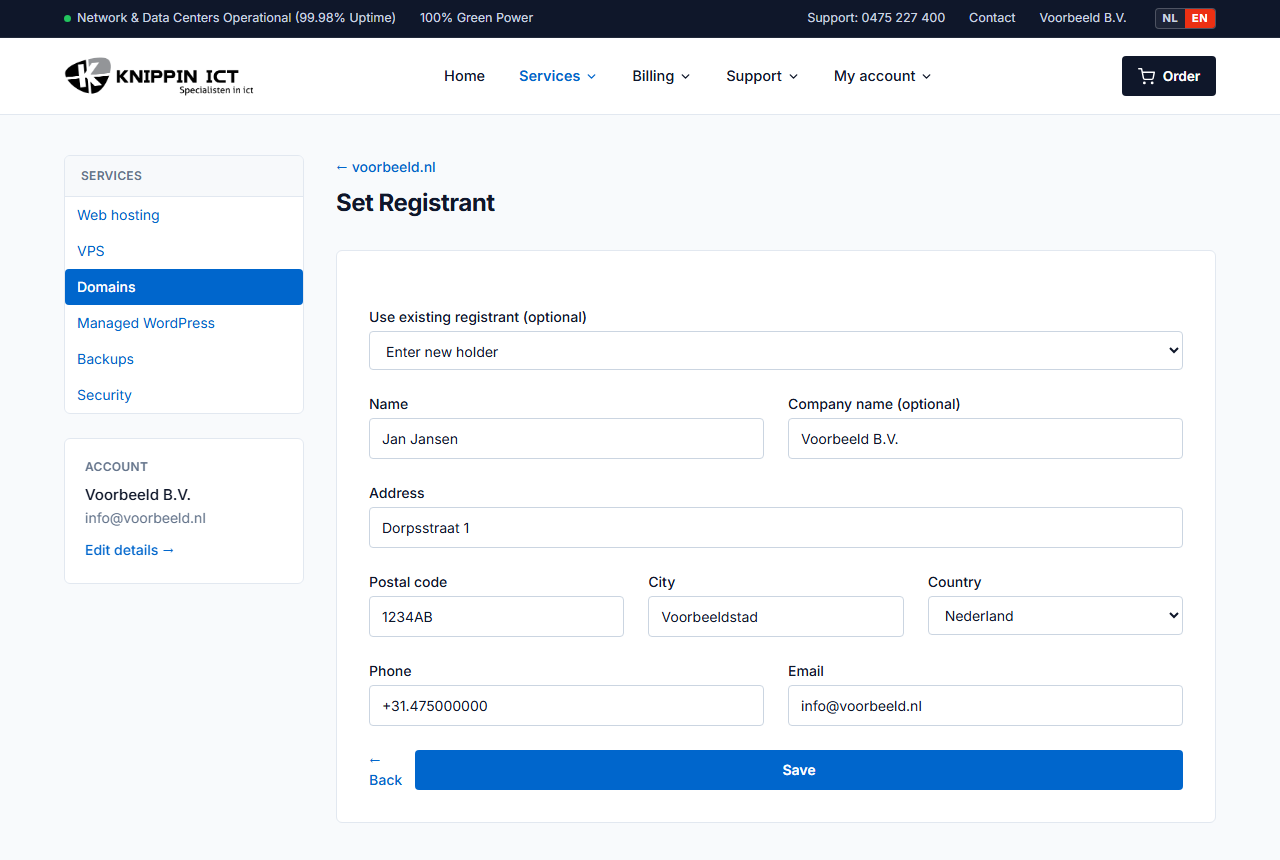
Has only the address or email address of the same owner changed? Then also choose Enter new holder and fill in the new details.
A new owner
Is the domain going to another person or company, for example after a sale or a new company? Fill in the new owner's details completely and correctly. For some extensions, the old or new holder still has to confirm the change by email. That email comes from the registry.
Only change the holder with the current holder's consent. For .nl, SIDN checks this. SIDN can reverse an unauthorised change and impose a fine.
For .com and other international extensions, the domain cannot be transferred for 60 days after a holder change. That is an ICANN rule. For .nl, the transfer code changes after a holder change.
Several domains at once
Do you have many domains with the same contact details? Under Services → Domains tick the domains and click Change contacts. Or choose the option to change contacts for all domains.
Why correct details matter
Registries require accurate holder details. If they are demonstrably wrong, a registry can suspend the domain. Important emails, such as a transfer confirmation, will not arrive either.