
Quick start: your customer panel
A tour of the Knippin customer panel: where to find your services, invoices and support.
In the customer panel at my.knippin.eu you manage everything related to your Knippin ICT services: domain names, web hosting, VPS, invoices and support. This article shows you where to find things.
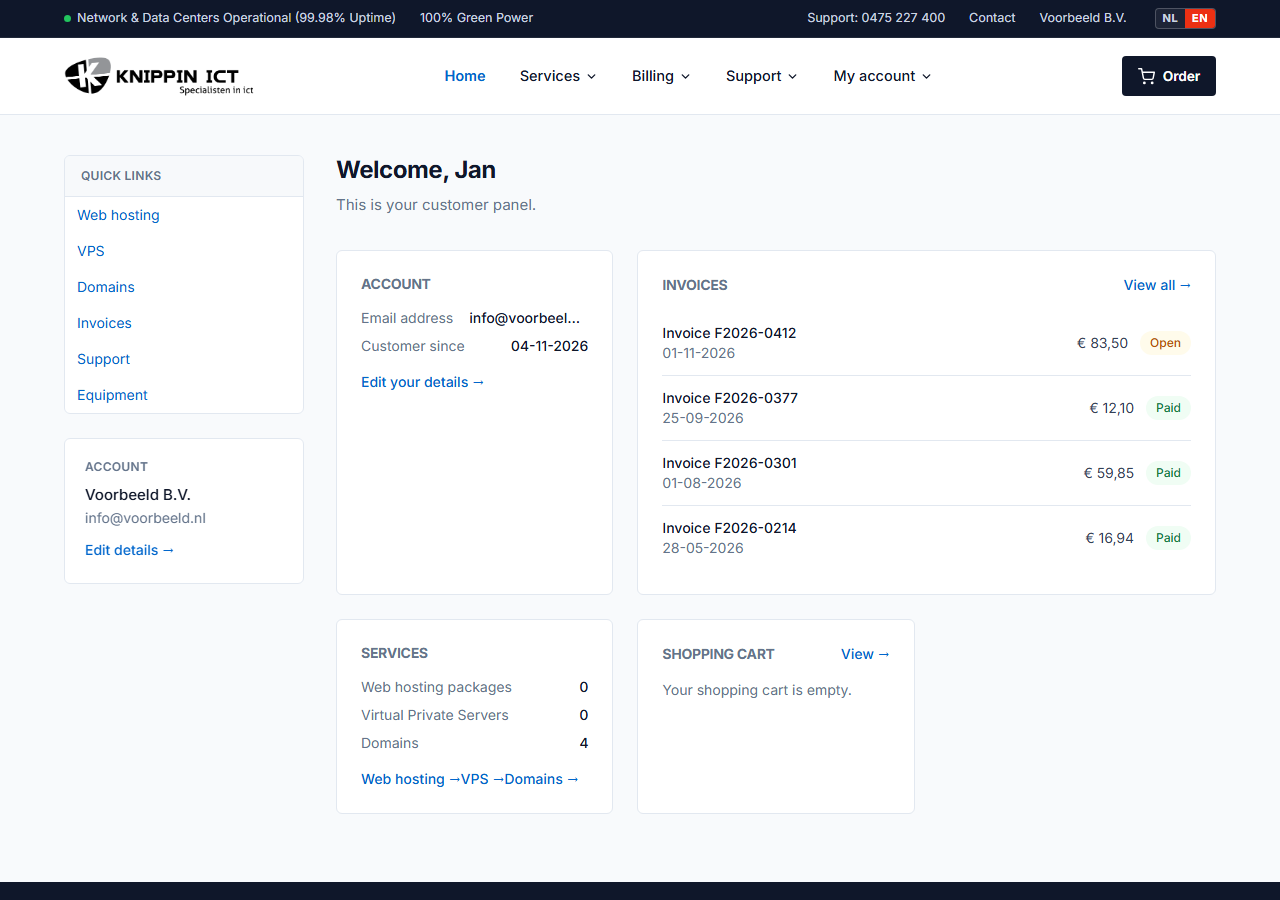
The menu
The main menu is at the top:
| Menu | What you will find |
|---|---|
| Home | The dashboard with an overview of your services and open invoices. |
| Services | Web hosting, VPS, domains, Managed WordPress, backups and security. |
| Billing | Invoices (view, download, pay) and quotes. |
| Support | Tickets, equipment, support hours and this knowledge base. |
| My account | Your details, password, contacts and received emails. |
On the pages of a section, a side menu on the left shows the related pages.
First steps
- Check your details under My account → Your details. With a correct billing address, invoices reach the right place.
- Set your mobile number for SMS verification when signing in. See Signing in with SMS verification.
- Review your domains under Services → Domains. This is where you change nameservers and DNS and request a transfer code.
- Enable direct debit if you prefer not to pay invoices manually. See Direct debit.
Language
The customer panel is available in Dutch and English. Use the language switch at the top right to change language. The English version lives at my.knippin.eu, the Dutch version at mijn.knippin.eu. Your choice is remembered.
Something not working or unclear? Create a ticket via Support → Tickets. See Creating a ticket.