
Renewing, cancelling and quarantine
How auto-renewal works, how to cancel a domain and what quarantine means.
Auto-renewal
Domains at Knippin are renewed automatically by default. Before the expiry date you receive an invoice and the domain simply continues.
On each domain, the Contract options section on the right shows whether Auto-renewal is on or off. Click the button next to it to switch it.
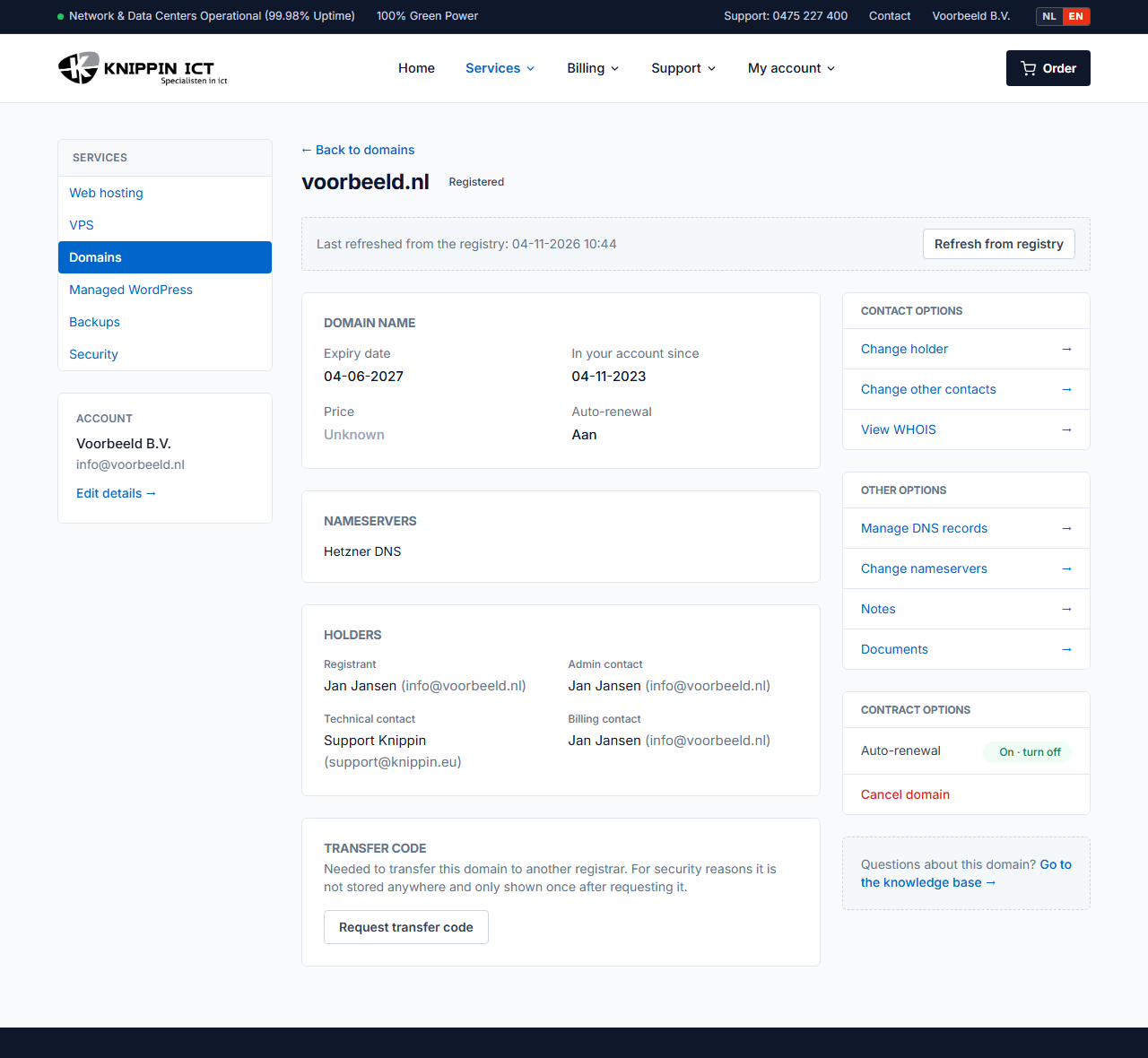
Is auto-renewal off? Then the domain expires on the expiry date, unless you switch it back on before then.
Cancelling a domain
- Go to Services → Domains and click the domain.
- On the right, under Contract options, click Cancel domain and confirm.
The domain keeps working until the expiry date and is not renewed after that. Changed your mind? Before the expiry date, click Renew after all (withdraw cancellation).
Moving the domain to another provider? Do not cancel it. Request a transfer code instead. After the transfer, charges stop automatically.
What happens after the expiry date?
After the expiry date, the website and email on the domain stop working. Each extension then has a period in which the domain can still be recovered:
| Extension | What happens? |
|---|---|
| .nl | The domain enters quarantine for 40 days. Only the last holder can get it back during that time, for an extra fee. After that it is free for anyone. |
| .be | Renewal at the normal rate is still possible until the end of the calendar month. Then 40 days of quarantine: recovery is possible via the last registrar, for an extra fee. |
| .eu | 40 days of quarantine. Recovery is possible via the last registrar, for an extra fee. |
| .de | 30 days of quarantine. Recovery is possible for an extra fee. |
| .nu | Renewal at the normal rate is still possible for 10 days. Then 60 days of quarantine. |
| .com, .net, .org and other international extensions | First a short period in which renewal is still possible at the normal rate. Then a redemption period of about 30 days, in which recovery is much more expensive. After that the domain becomes available. |
All rules per extension are in Comparing extensions.
Recovering a domain from quarantine
Create a ticket as soon as possible after the expiry date. For a .nl domain, SIDN asks for proof that you are the holder: a copy of your ID and, for companies, a recent Chamber of Commerce extract. We will tell you the costs in advance.