
Creating and managing email addresses
Create a mailbox, change its password or storage and see how much you send.
Creating a mailbox
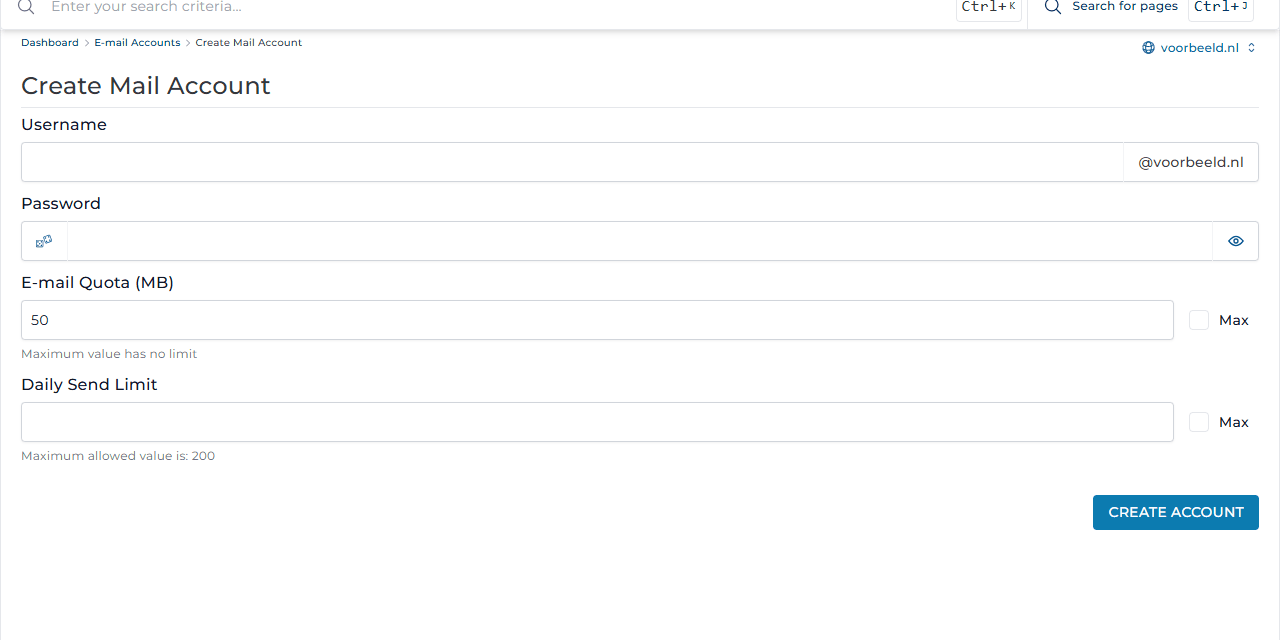
- Go to E-mail Manager → E-mail Accounts and click Create Account.
- Under Username, enter the part before the @, for example
info. The address becomesinfo@voorbeeld.nl. - Choose a strong Password, or let the dice icon generate one.
- E-mail Quota (MB) sets how much storage the mailbox may use, for example
2048for 2 GB. With Max there is no separate limit; only your package's space counts. - Daily Send Limit sets how many emails the mailbox may send per day. The maximum is 200 per day.
- Click Create Account.
Next, set up the mailbox on your device. See Setting up email on your computer or phone, or read your mail directly in webmail.
Overview and management
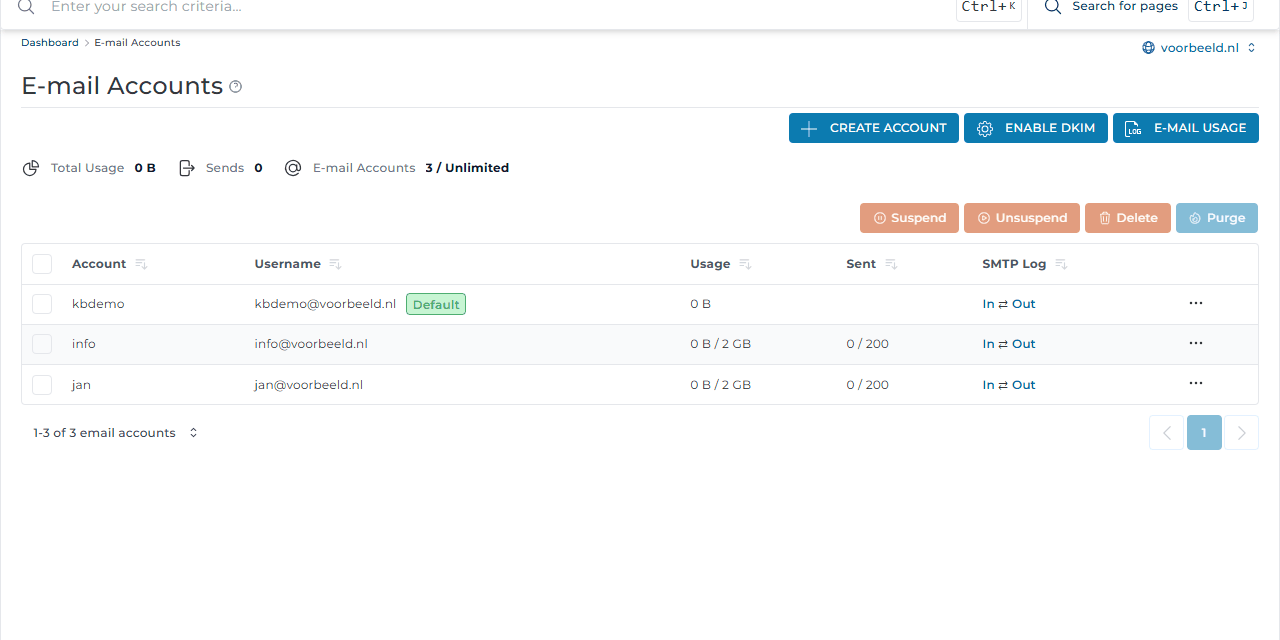
- Usage shows the storage used; Sent shows how many emails were sent today out of the daily limit.
- Use the menu (⋯) next to an address to change its password, storage or daily limit.
- Suspend pauses a mailbox; Unsuspend turns it back on.
- Purge empties a folder, such as the Spambox, for the period you choose. Delete removes the mailbox and all its email. This cannot be undone.
- The address with your username (Default) belongs to your account and cannot be deleted.
DKIM
The Enable DKIM button adds a digital signature to your outgoing mail. This helps against spoofing and keeps your mail out of spam folders. Read more in Adding a DKIM record and SPF and DMARC.
Why a daily limit?
If a password is guessed, a spammer can send thousands of emails through your mailbox. The server then ends up on blacklists and your normal mail stops arriving too. The limit of 200 per day limits the damage. Want to send newsletters? Use a newsletter service such as Mailchimp or Laposta.