
Installing WordPress and other software with Softaculous
Install WordPress, Joomla or an online shop in a few clicks, and manage your WordPress sites.
With Softaculous you install WordPress, Joomla, a forum or an online shop in a few minutes. Softaculous creates the database and settings for you.
Installing WordPress
- Go to Softaculous Apps Installer → WordPress, or open Extra Features → Softaculous Auto Installer and choose WordPress.
- Click Install.
- Fill in:
- Choose Installation URL: choose
https://and your domain. Leave In Directory empty to put WordPress directly onvoorbeeld.nl. Enteringblog, for example, puts it onvoorbeeld.nl/blog. - Site Name and Site Description: your site's name and tagline. You can change these later.
- Admin Username, Admin Password and Admin Email: your administrator account. Do not use
adminas the username, and use a strong password. - Select Language: for example English.
- Choose Installation URL: choose
- Click Install. After about a minute you get the link to your site and to the admin area (
/wp-admin).
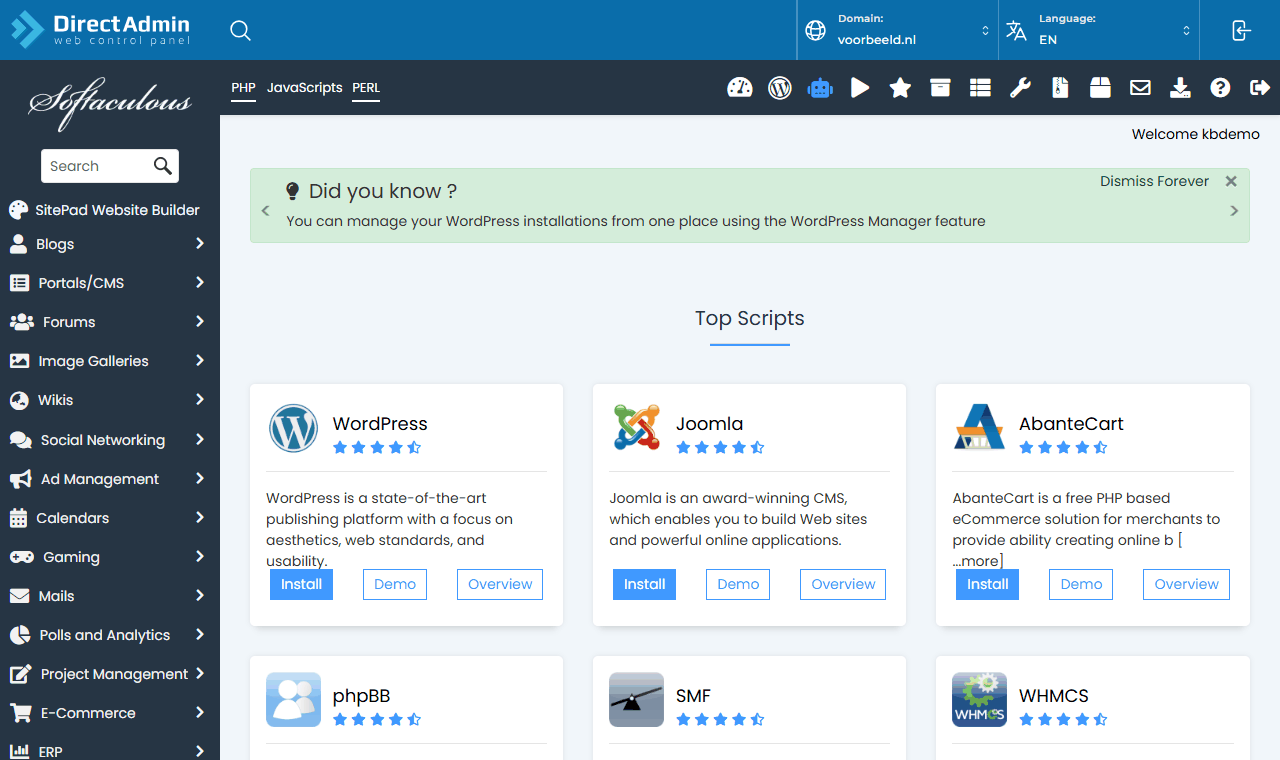
Is there already a website in the folder? Softaculous warns you. Move the old site aside first, or install into another folder or on a subdomain.
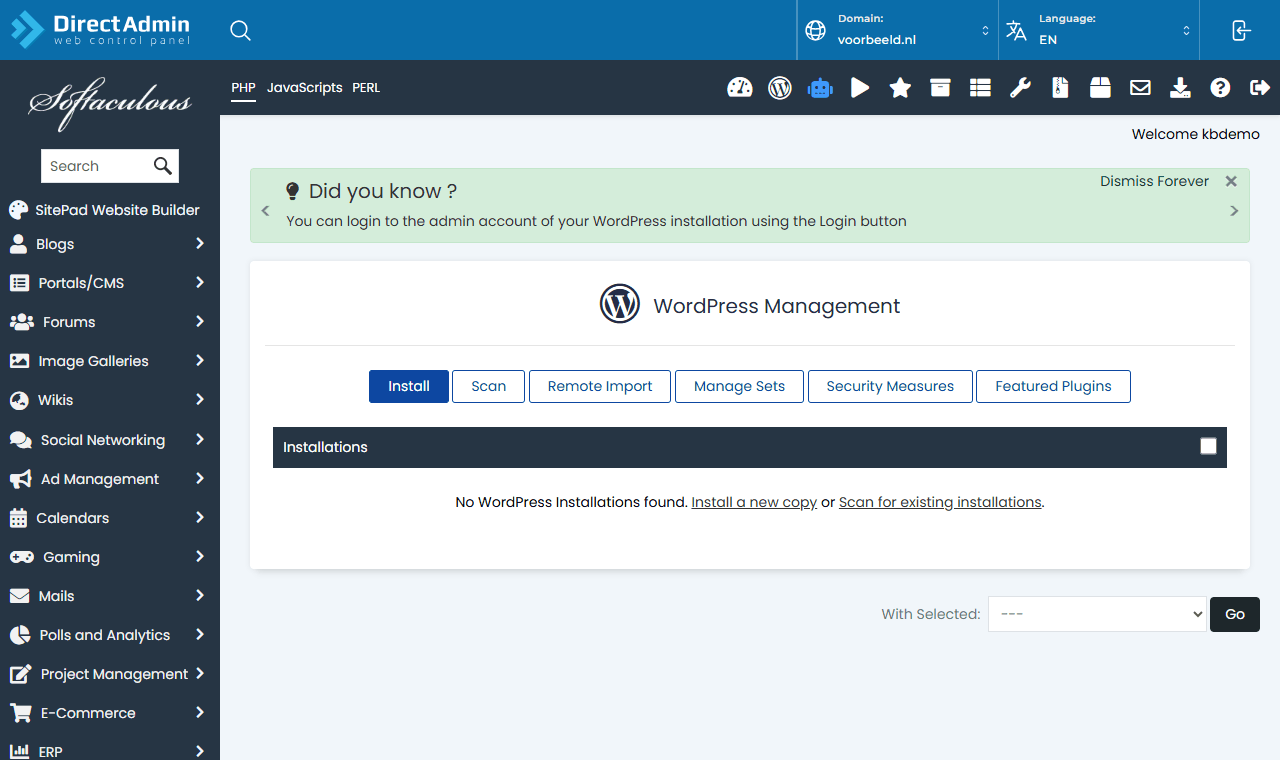
WordPress Manager
Extra Features → WordPress Manager by Softaculous shows all your WordPress sites in one place. There you can, among other things:
- log in to the WordPress admin without a password (with the button next to the site);
- update WordPress, plugins and themes;
- make a copy (Clone) or a staging environment for safe testing;
- back up just that site;
- turn on security measures (Security Measures).
Add existing sites that were not installed with Softaculous using Scan.
Rather not worry about it?
With Managed WordPress, Knippin looks after your WordPress sites: updates with checks before and after, security and optimisation. You find it in the customer panel under Services → Managed WordPress.
Other software
Softaculous offers hundreds of applications, such as Joomla, Drupal, PrestaShop, phpBB and Nextcloud. Installation works the same as for WordPress. Keep every application updated: outdated software is the main cause of hacked websites.