
Uploading your website: folders, File Manager and FTP
Which folder your website belongs in and how to upload files with the File Manager or an FTP client.
The right folder: public_html
Every domain has its own folder in DirectAdmin:
| Folder | Contents |
|---|---|
domains/voorbeeld.nl/public_html |
Your website. Everything in here is visible at https://voorbeeld.nl. |
domains/shop.voorbeeld.nl/public_html |
A subdomain, for example shop.voorbeeld.nl. |
domains/voorbeeld.nl/public_ftp |
Folder for anonymous FTP (usually off). |
domains/voorbeeld.nl/logs |
Web server log files. |
Maildir, imap |
Your email. Do not change anything here. |
Your site's home page is called index.html or index.php and sits directly in public_html. Uploading a new site? Delete or rename the default index.html page that is already there.
Uploading with the File Manager
For a few files, the built-in File Manager is easiest.
- Go to System Info & Files → File Manager.
- Open
domains, then your domain, thenpublic_html. - Click Upload and choose the files. To unpack a zip file after uploading, select it and click Extract.
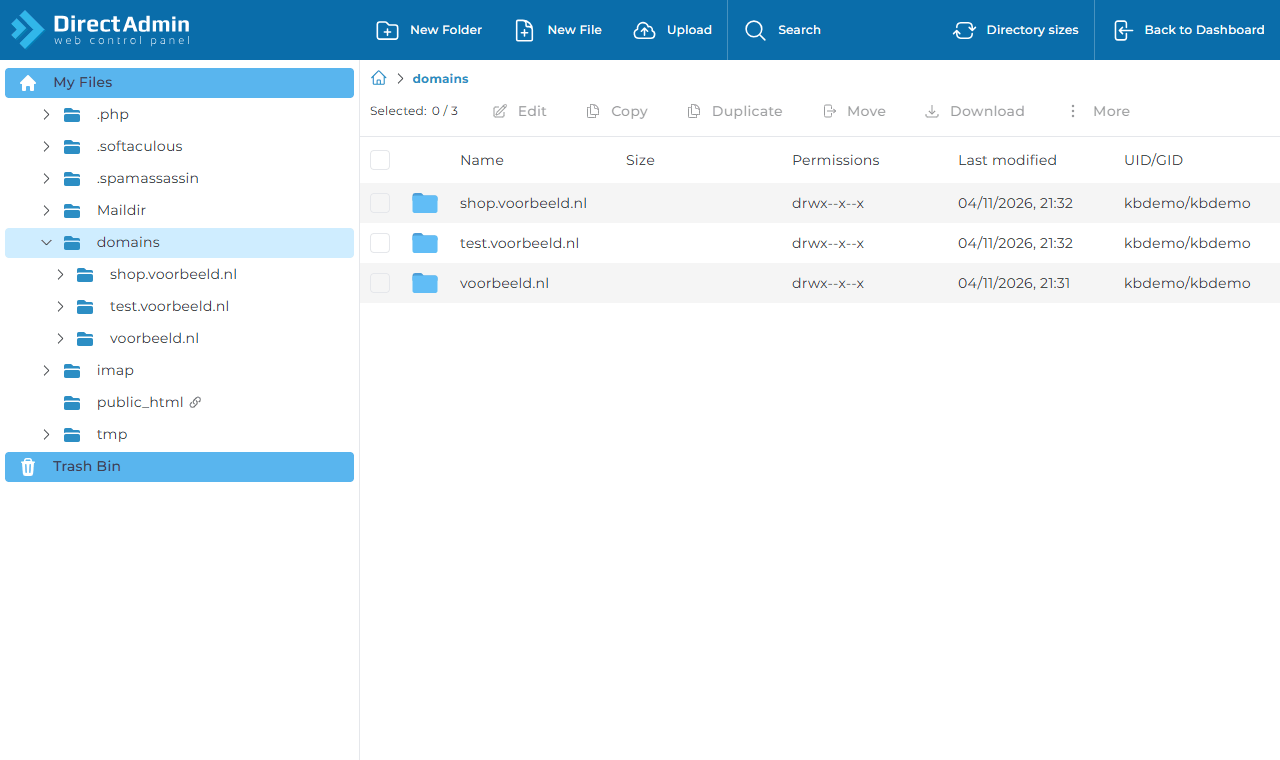
Use New Folder, New File, Edit, Rename, Set permissions and Remove for everything else. Deleted files go to the Trash Bin first.
Uploading with FTP
For a whole website, an FTP client such as the free FileZilla works better.
| Setting | Value |
|---|---|
| Host | The server from your customer panel, for example server20.beheer.eu |
| Protocol | FTP, with explicit FTP over TLS (encrypted) |
| Port | 21 |
| Username | Your DirectAdmin username, or an FTP account such as webdesigner@voorbeeld.nl |
| Password | The matching password |
After connecting, go to domains/voorbeeld.nl/public_html and drag your files there. Logging in with an FTP account limited to public_html? Then you start in that folder.
Always use TLS. Plain FTP sends your password over the internet unencrypted.
SSH access (the command line) is off by default. Need it, for example for Git or Composer? Create a ticket.