
Additional domains and domain pointers
A second website in the same package, or an extra domain name that shows the same site.
You can use more than one domain in a web hosting package. There are two ways:
| What it does | Example | |
|---|---|---|
| Additional domain | A separate website with its own folder and email | secondcompany.com next to voorbeeld.nl |
| Domain pointer | An extra name for an existing website | voorbeeld.be shows voorbeeld.nl |
Either way, the domain name must point to your hosting server. Let the domain use your hosting server's nameservers (see Changing nameservers), or point the A records at your DNS provider to your server's IP address. Not sure? Create a ticket.
Adding a domain
- Go to Account Manager → Domains and click Add New.
- Enter the domain without
wwworhttp://, for examplesecondcompany.com. - Keep Same as Main account ticked for Bandwidth and Disk Usage. The domain then shares your package's space.
- Leave Secure SSL and PHP Access on and click Create.
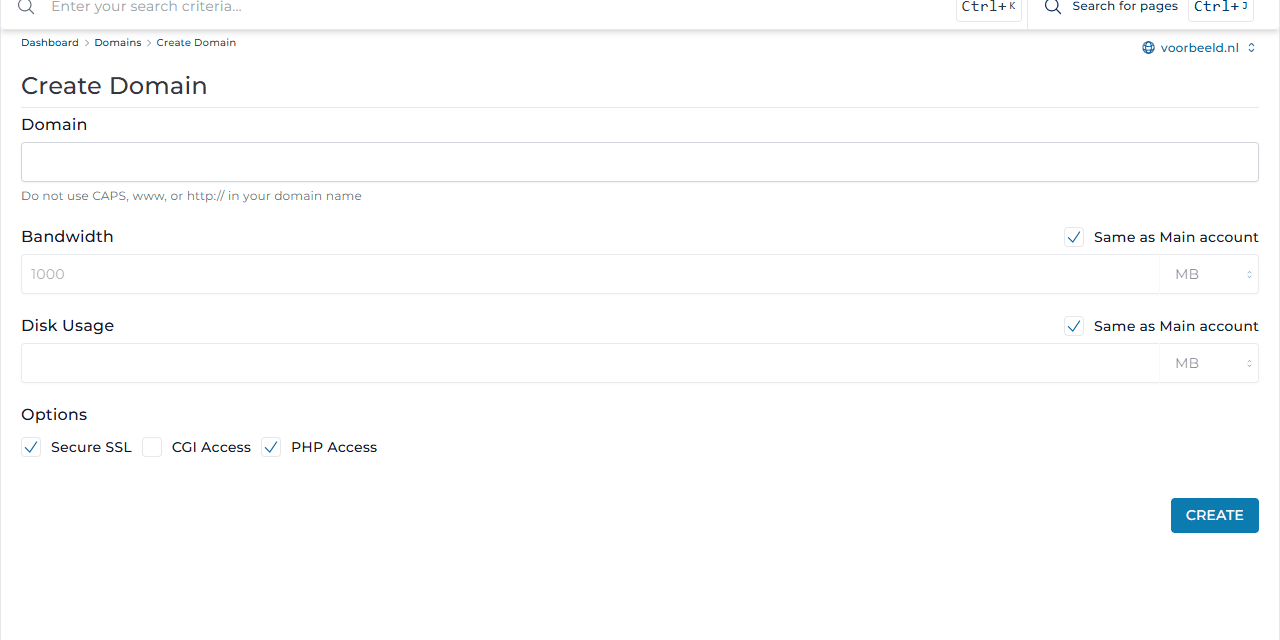
The new domain gets its own folder, domains/secondcompany.com/public_html. Choose the domain at the top right in DirectAdmin to manage its email addresses, subdomains and other settings.
How many domains you can add depends on your package. You can see it on the dashboard.
Creating a domain pointer
- Go to Account Manager → Domain Pointers.
- Under Source domain, enter the extra name, for example
voorbeeld.be. - Choose what the pointer does:
- with Create as an alias ticked,
voorbeeld.beshows the same website asvoorbeeld.nl, and email addresses work on@voorbeeld.betoo; - without it,
voorbeeld.beredirects visitors tovoorbeeld.nl. That is better for search engines.
- with Create as an alias ticked,
- Click Create Pointer.
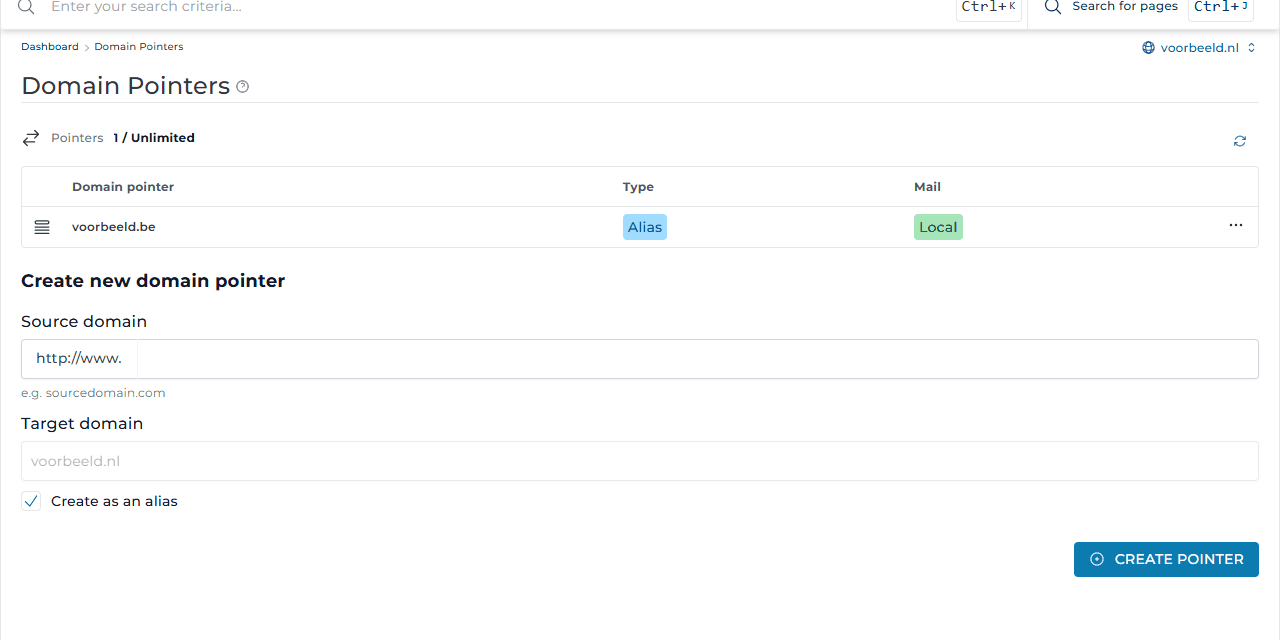
Search engine tip: make one domain your main address and redirect the rest. The same site under several names counts as duplicate content.
Settings per domain
Click a domain in Domains to open its settings. There you can force https and, with Force redirect, choose whether visitors always go to www.voorbeeld.nl or to voorbeeld.nl. See also Domain without www.
You can also delete a domain in Domains: tick it and click Delete. This also removes the website, email addresses and mail of that domain. Make a backup first.