
SSL certificate and https
How your website gets a free certificate automatically, and how to always send visitors to https.
With an SSL certificate your website is available via https:// and visitors see a padlock. At Knippin, DirectAdmin arranges this automatically and free of charge with Let's Encrypt.
Automatic certificate
As soon as your domain points to the hosting server, DirectAdmin requests a certificate for the domain, www, your subdomains and mail. It is renewed automatically too, so you do not need to do anything.
Go to Account Manager → SSL/TLS Certificates to see the status:
- Certificate list: the existing certificates, with their names (DNS Names) and expiry date (Expires).
- DNS names without TLS certificate: names that do not have a certificate yet.
- Failed HTTP checks: names for which it fails because they do not (yet) point to this server.
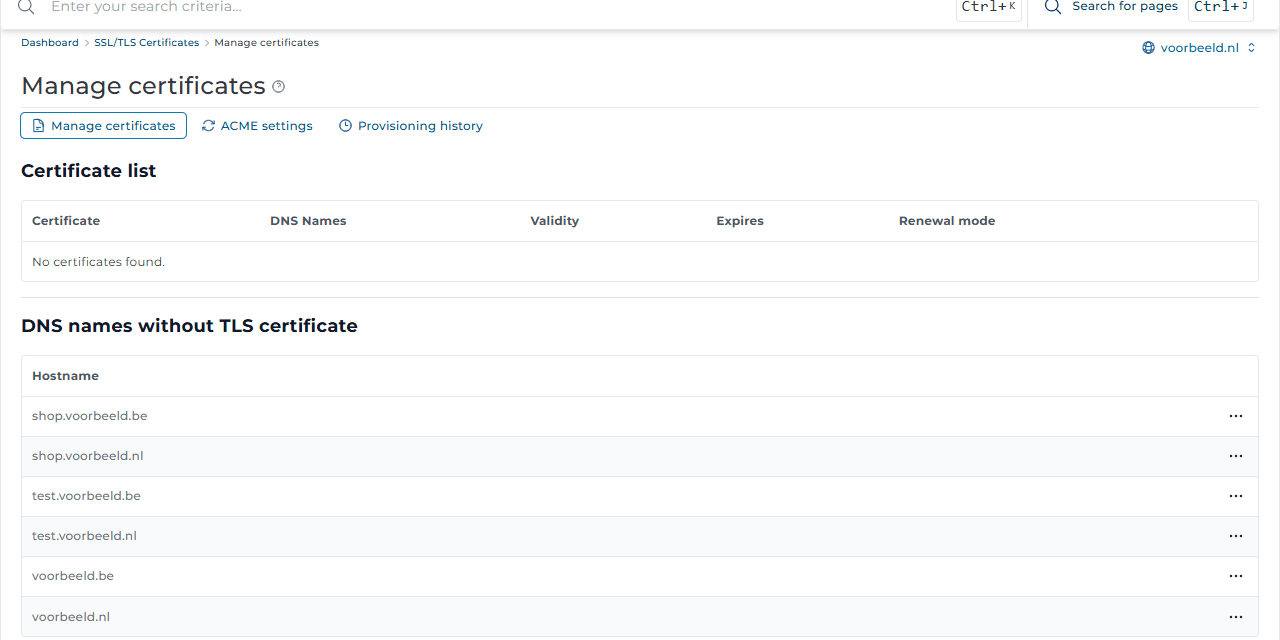
No certificate?
Is your domain listed under Failed HTTP checks? Then it does not point to your hosting server. That is normal shortly after a transfer or when the DNS is hosted elsewhere. Check the DNS records or nameservers. Once that is right, the certificate follows by itself within a few hours.
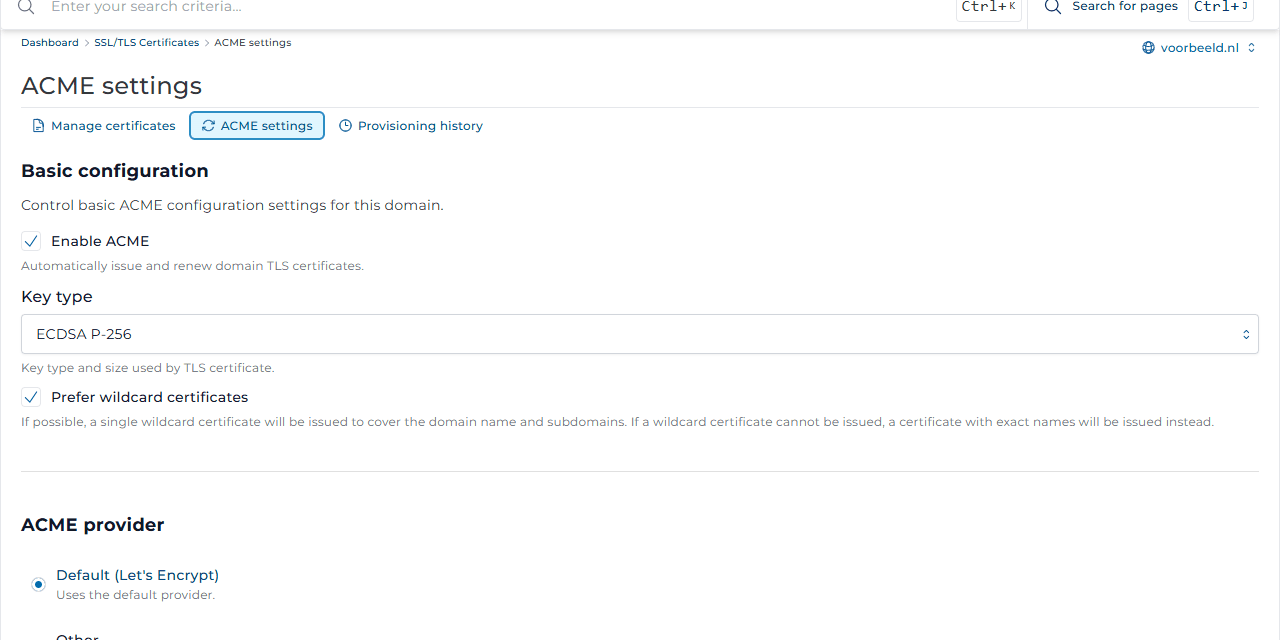
Under ACME settings, automatic requests (Enable ACME) are on, with Let's Encrypt as the issuer. Leave this as it is.
Always https
Want visitors to always land on the secure version, even when they type http://?
- Go to Account Manager → Domains and click the domain.
- Tick Force SSL with https redirect and click Modify.
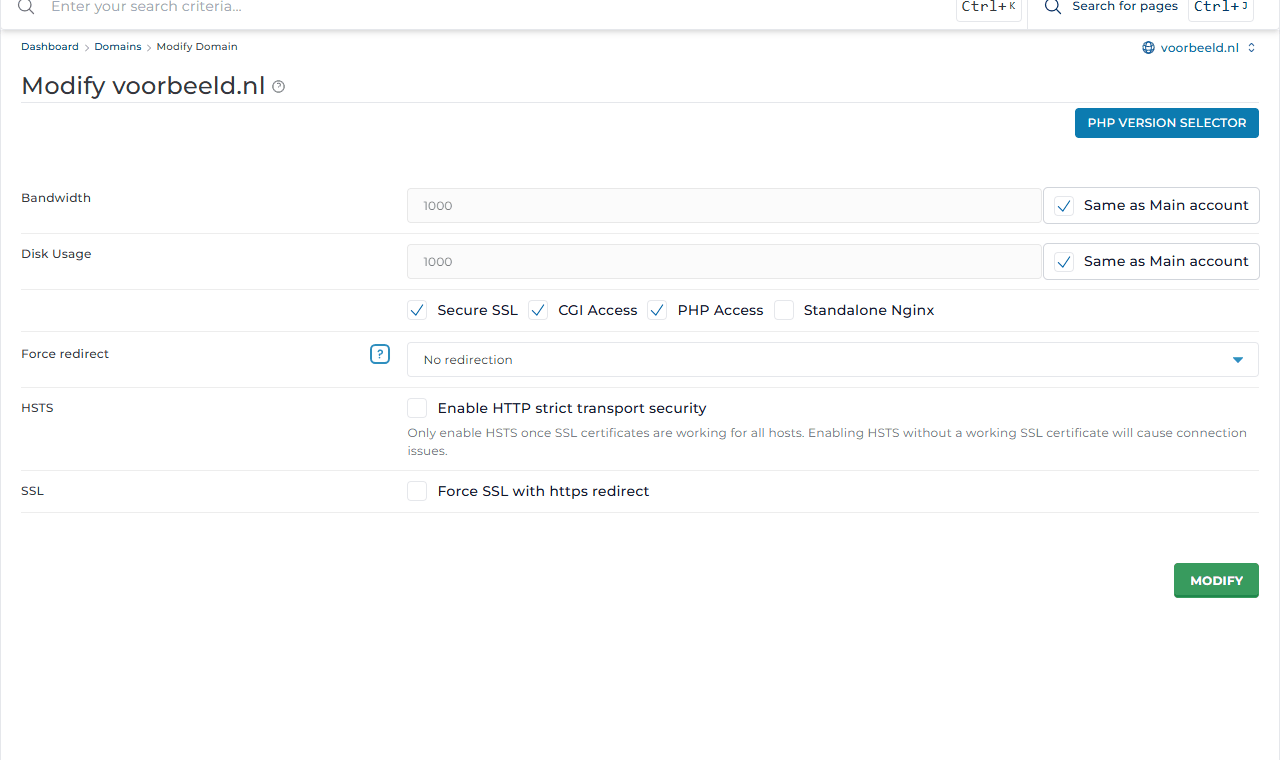
Only do this once the certificate works, or visitors will get an error. The same page has HSTS: it makes browsers remember that your site only works over https. Only turn it on when every name, including subdomains, has a working certificate.
Using WordPress? Also set both addresses to https:// in WordPress under Settings → General.
Your own certificate
Have a paid certificate, for example with organisation validation (OV/EV)? Create a ticket and we will install it for you. For most websites, the free certificate is just as secure.