
Subdomains
Create a subdomain such as shop.voorbeeld.nl, with its own folder and PHP version.
A subdomain is an extra address in front of your domain name, such as shop.voorbeeld.nl or test.voorbeeld.nl. It has its own folder, so it can show a completely different website.
Creating a subdomain
- Go to Account Manager → Subdomain Management and click Add Subdomain.
- Enter only the first part, for example
shop. - Click Add Subdomain.
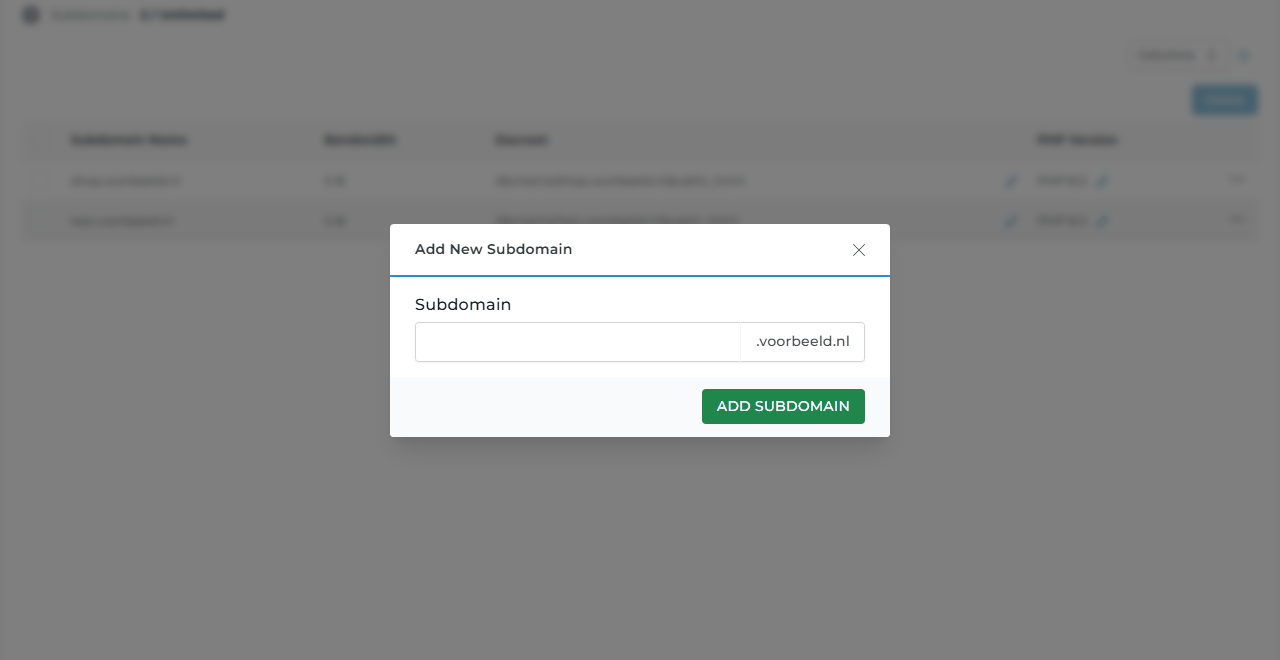
The subdomain works after a few minutes. Does your domain use your hosting server's nameservers? Then DirectAdmin creates the DNS record automatically. Is the DNS elsewhere, for example at Hetzner DNS or another party? Create an A record for the subdomain there, pointing to your hosting server's IP address.
The SSL certificate for the subdomain is also requested automatically once the subdomain is reachable.
Where do the files go?
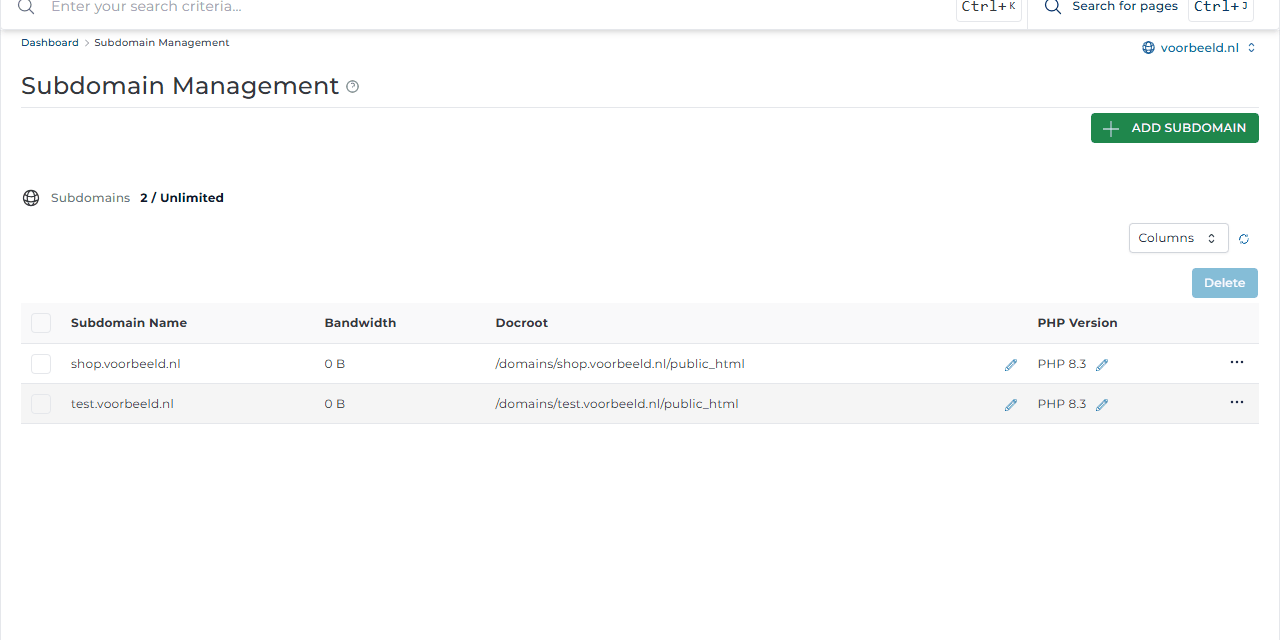
Docroot in the overview shows each subdomain's folder, for example domains/shop.voorbeeld.nl/public_html. Put the subdomain's website there using the File Manager or FTP. Give a web designer who only works on the subdomain their own FTP account for exactly that folder.
Under PHP Version you can pick a different PHP version per subdomain, for example to keep an old site on an older version. See also PHP version and settings.
Deleting
Tick the subdomain and click Delete. Save a copy of the files first if you still need them.
A test version of your website fits nicely on a subdomain, for example
test.voorbeeld.nl. Protect it with a password so visitors and search engines do not see it.